
 Anıl Şenocak
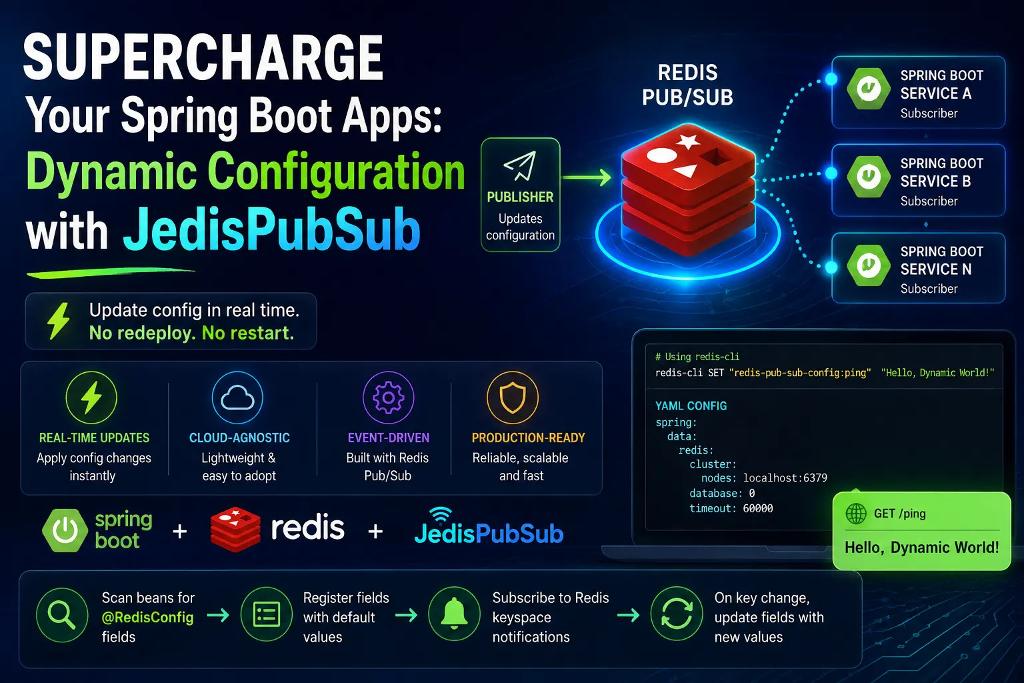

Spring-Kotlin-Redis-DynamicConfig-JedisPubSub is a Java client library for Redis. JedisPubSub is an abstract class in Jedis that provides a convenient way to implement Redis Publish/Subscribe (Pub/Sub) messaging in Java applications.
What Redis Pub/Sub Does
Redis Pub/Sub allows applications to communicate using channels:
- Publisher sends messages to a channel.
- Subscriber listens to that channel and receives messages in real time.
This is useful for:
- Event-driven systems
- Notifications
- Cache invalidation
- Chat applications
- Distributed communication
What JedisPubSub Provides
JedisPubSub defines callback methods that are invoked automatically when Pub/Sub events occur.
JedisPubSub works by combining three pieces:
- A connection to Redis
- A listener object that extends
JedisPubSub - A blocking subscription loop that waits for messages
🚦 Getting Started
Run Redis Cluster locally (or use Docker):
version: '3.7'
services:
  redis-cluster:
    build:
      context: https://github.com/senocak/redis-single-node-cluster.git#main:build
      args:
        \- REDIS\_BASE\_IMAGE=redis:7.2-alpine
    environment:
      \- REDIS\_CONFIG\_CLUSTER\_ANNOUNCE\_IP=127.0.0.1
    ports:
      \- "6379:6379"
    networks:
      \- ops
networks:
  ops:
docker-compose up -d
Make sure you enabled Redis keyspace notifications by running the following command in your Redis CLI:
redis-cli config set notify-keyspace-events KEA
Configure Redis in application.yml
spring:
  data:
    redis:
      cluster:
        nodes: localhost:6379  \# Update with your Redis server address
      database: 0
      timeout: 60000
Configuration default values:
The application can be configured through the application.yml file:
# Using redis-cli
redis-cli SET "redis-pub-sub-config:ping" "Hello, Dynamic World!"
Start the app and test:
The application includes a simple endpoint to test dynamic configuration:
# Using curl
curl http://localhost:8082/ping
Hello, Dynamic World!
The response will show the current value of the ping configuration.
How It Works
- The application scans all Spring beans for fields annotated with
@RedisConfig - It registers these fields in a registry with their default values
- It subscribes to Redis keyspace notifications for the configured keys
- When a key changes in Redis, the application receives a notification
- The field value is updated with the new value from Redis