
 Anıl Şenocak
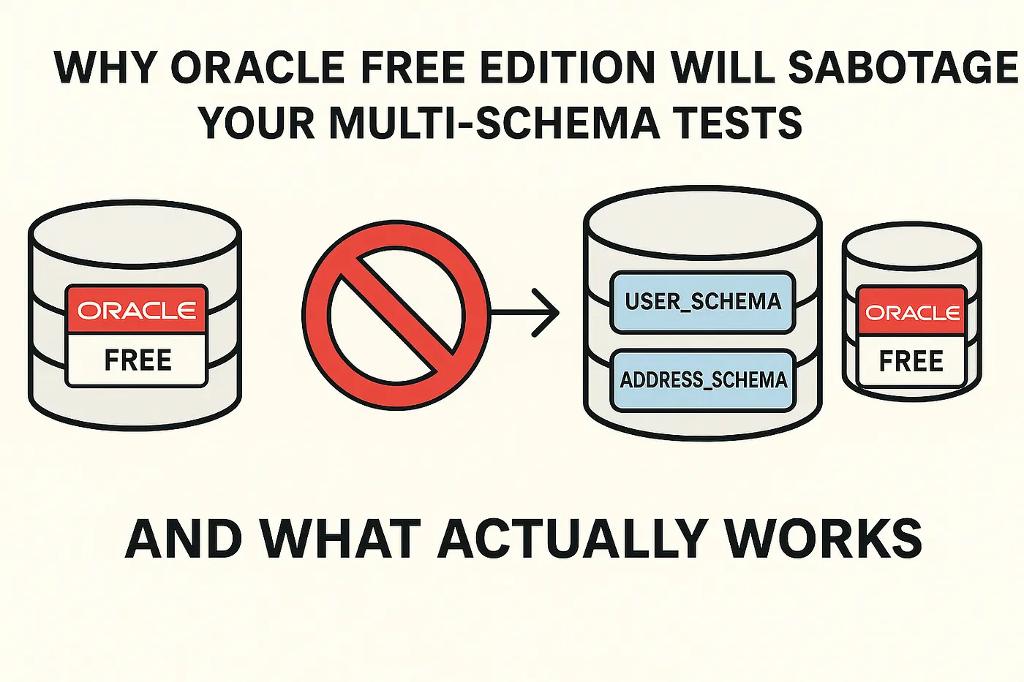

If you've ever tried spinning up Oracle in your integration tests with Testcontainers, you've likely stumbled upon Oracle's oracle-free or oracle-xe images—both marketed as lightweight, developer-friendly versions of Oracle Database. At first glance, these seem like the perfect choice for local testing.
🔥But here's the catch: if your application logic relies on multiple schemas within a single Oracle database instance, oracle-free and oracle-xe might quietly fail you. They seem to support the basics, but under the hood, they're restrictive in a way that can lead to misleading results—or worse, brittle test environments that don't reflect production behavior.
Let's break down why that is and what works instead.
Fresh generated springboot project with oracle and testcontainers dependencies, following will be generated;
@Bean
@ServiceConnection
fun oracleFreeContainer(): OracleContainer = OracleContainer(DockerImageName.parse("gvenzl/oracle-free:latest"))
Default image is oracle-free from gvenzl.
💣The Problem: Hidden Schema Limitations
Oracle's free (previously known as XE) edition has a number of documented and undocumented limitations—particularly around multi-schema use. When using these images in a Docker container via Testcontainers, you'll often notice:
- You can't create multiple users/schemas easily — or at all.
- Even when schema creation “works,” it may lack proper isolation, causing data leakage between tests.
- The database might block access or throw cryptic errors when trying to switch contexts or permissions across schemas.
That's because Oracle XE and Free versions are designed to be resource-constrained and intentionally limit features available in enterprise editions — including real multi-schema support.
What Breaks in Real-World Test Setups?
If your integration tests or system architecture mimic production scenarios like:
- A user-schema and a address-schema in the same DB,
- Schema-level authorization,
- Cross-schema views, procedures, or grants
Then using oracle-xe or oracle-free in Testcontainers will quickly become a bottleneck.
❗Here's what I encountered personally:
ORA-65096: invalid common user or role name
ORA-01031: insufficient privileges
Common Configuration Pitfalls
V1_create_schemas.sql
CREATE USER USER\_SCHEMA IDENTIFIED BY testpassword;
GRANT CREATE SESSION TO USER\_SCHEMA;
GRANT CREATE TABLE TO USER\_SCHEMA;
GRANT CREATE VIEW TO USER\_SCHEMA;
GRANT CREATE USER TO USER\_SCHEMA;
GRANT UNLIMITED TABLESPACE TO USER\_SCHEMA;
GRANT CREATE ANY TABLE TO USER\_SCHEMA;
GRANT CONNECT, RESOURCE, DBA TO USER\_SCHEMA;

CREATE USER ADDRESS\_SCHEMA IDENTIFIED BY testpassword;
GRANT CREATE SESSION TO ADDRESS\_SCHEMA;
GRANT CREATE TABLE TO ADDRESS\_SCHEMA;
GRANT CREATE VIEW TO ADDRESS\_SCHEMA;
GRANT CREATE USER TO ADDRESS\_SCHEMA;
GRANT UNLIMITED TABLESPACE TO ADDRESS\_SCHEMA;
GRANT CREATE ANY TABLE TO ADDRESS\_SCHEMA;
GRANT CONNECT, RESOURCE, DBA TO ADDRESS\_SCHEMA;
Username Restrictions
No matter how I adjusted the image or initialization scripts, schema creation silently failed or was limited in functionality. If you try to set username to sys and your code will be failed;
private val oracleContainer: OracleContainer = OracleContainer("gvenzl/oracle-free:slim-faststart")
    .withDatabaseName("testDB")
    .withUsername("sys") // This will fail!
    .withPassword("testPassword")
    .withDatabaseName("testDB")
    .withStartupTimeout(Duration.ofMinutes(2))
    .withInitScripts(
        "migrations/V1\_create\_schemas.sql",
        "migrations/V1\_\_create\_users\_and\_roles.sql"
    )
🛑Results in:
Caused by: java.lang.IllegalArgumentException: Username cannot be one of [system, sys]
Init Scripts Privilege Issues
If you configure the username other than sys and system like below;
private val oracleContainer: OracleContainer = OracleContainer("gvenzl/oracle-free:slim-faststart")
    .withUsername("testUser")
    .withInitScripts("migrations/V1\_create\_schemas.sql") // Will fail with insufficient privileges
🛑Results in:
Caused by: java.sql.SQLSyntaxErrorException: ORA-01031: insufficient privileges
Manual Schema Creation
If you try to create schemas manually after starting the container, you might think you can work around these limitations. However, even if you manage to connect as a privileged user, the created schemas often don’t behave as expected. For example, you might be able to create a user but not grant them the necessary privileges to create sessions or tables, leading to errors.
Connect the oracle-free with sysdba inside container
sqlplus / as sysdba
Running the create user/schema script; V1_create_schemas.sql will give you “Grant Success” in every command but connection will be fail with these users and the error message will be;
[72000][1045] ORA-01045: Login denied. User ADDRESS_SCHEMA does not have CREATE SESSION privilege.
https://docs.oracle.com/error-help/db/ora-01045/
What about via withInitScripts
Scripts will be executed with the user provided username and password and that user will not be having the privilege to create the schemas.
private val oracleContainer: OracleContainer = OracleContainer("gvenzl/oracle-free:slim-faststart")
    .withDatabaseName("testDB")
    .withUsername("testUser")
    .withPassword("testPassword")
    .withDatabaseName("testDB")
    .withStartupTimeout(Duration.ofMinutes(2))
    .withInitScripts(
        "migrations/V1\_create\_schemas.sql",
        "migrations/V1\_\_create\_users\_and\_roles.sql"
   )
🛑Results in;
Caused by: org.testcontainers.ext.ScriptUtils$ScriptStatementFailedException: Script execution failed (migrations/V1\_create\_schemas.sql:1): CREATE USER USER\_SCHEMA IDENTIFIED BY testpassword
...
Caused by: java.sql.SQLSyntaxErrorException: ORA-01031: insufficient privileges
🧪What Actually Works: oracle/free from Oracle's Official Registry
After hours of debugging and comparing community forums, I landed on a solution that just works: use the image from Oracle’s official container registry:
container-registry.oracle.com/database/free:latest
@TestConfiguration
class TestOracleConfiguration {
    @Bean
    @ServiceConnection
    fun oracleContainer(): OracleContainer = OracleContainer("container-registry.oracle.com/database/free:latest")
}
This is not the same as some of the older or community versions floating on Docker Hub. This image:
- Allows multiple user/schema creation with standard SQL scripts.
- Supports cross-schema access, roles, and privileges.
- Behaves consistently with production Oracle setups (at least for development and testing purposes).
- Plays nicely with Testcontainers, thanks to its consistent startup behavior and Oracle tooling support.
⚙️Testcontainers Configuration Example
Here’s how to configure it in Kotlin:
Domain Configuration
@MappedSuperclass
open class BaseDomain(
    @Id
    @Column(name = "id", updatable = false, nullable = false)
    var id: String? = null,
) : Serializable

@Entity
@Table(name = "users", schema = "USER\_SCHEMA")
data class User(
    @Column(name = "name", nullable = false, length = 50) var name: String? = null,
    @Column(name = "email", nullable = false, length = 100) var email: String? = null,
    @Column(name = "password", nullable = false) var password: String? = null
) : BaseDomain()

@Entity
@Table(name = "addresses", schema = "ADDRESS\_SCHEMA")
data class Address(
    @Column var name: String? = null
): BaseDomain()

interface AddressRepository: CrudRepository<Address, String\> {
    fun findByName(address: String): Address?
}

interface UserRepository: CrudRepository<User, String\> {
    fun findByEmail(email: String): User?
    fun existsByEmail(email: String): Boolean
}
Controller Example
@SpringBootApplication
@ConfigurationPropertiesScan
@RestController
class SpringKotlinTestcontainersOracleMultiSchemaApplication(
    private val userRepository: UserRepository,
    private val roleRepository: AddressRepository
){
    @GetMapping(value = \["/"\])
    fun index(): String = "Welcome to the Spring Kotlin Testcontainers Oracle Multi Schema Application!"

    @GetMapping(value = \["/users"\])
    fun getUsers(): List<User> =
        userRepository.findAll().toList()

    @GetMapping(value = \["/roles"\])
    fun getRoles(): List<Address> =
        roleRepository.findAll().toList()
}

fun main(args: Array<String\>) {
    runApplication<SpringKotlinTestcontainersOracleMultiSchemaApplication>(\*args)
}
Integration Test Example
@SpringBootTest(webEnvironment = WebEnvironment.RANDOM\_PORT)
@Testcontainers
class MultiSchemaIntegrationTest {
    companion object {
        @Container
        @JvmStatic
        val oracleContainer: GenericContainer<\*> =
            GenericContainer("container-registry.oracle.com/database/free:latest")
                .withExposedPorts(1521)
                .withStartupTimeout(Duration.ofMinutes(2))
                .withCreateContainerCmdModifier(Consumer { cmd: CreateContainerCmd -> cmd.withName("oracle\_" + System.currentTimeMillis()) })
                .waitingFor(Wait.forLogMessage(".\*DATABASE IS READY TO USE!\*\\\\n", 1))

        @DynamicPropertySource
        fun configureProperties(registry: DynamicPropertyRegistry) {
            oracleContainer.copyFileToContainer(
                forClasspathResource("migrations/V1\_create\_schemas.sql"),
                "/tmp/V1\_create\_schemas.sql"
            )
            oracleContainer.copyFileToContainer(
                forClasspathResource("migrations/V1\_\_create\_users\_and\_roles.sql"),
                "/tmp/V1\_\_create\_users\_and\_roles.sql"
            )
            try {
                oracleContainer.execInContainer("./setPassword.sh", "testpassword")
                oracleContainer.execInContainer("sqlplus",
                    "sys/testpassword@FREEPDB1",
                    "as",
                    "sysdba",
                    "@/tmp/V1\_create\_schemas.sql"
                )
                oracleContainer.execInContainer("sqlplus",
                    "USER\_SCHEMA/testpassword@FREEPDB1",
                    "@/tmp/V1\_\_create\_users\_and\_roles.sql"
                )
            } catch (e: Exception) {
                println(message = "Error initializing Oracle UDB container: ${e.localizedMessage}")
                throw RuntimeException("Failed to initialize Oracle UDB container", e)
            }

            registry.add("spring.datasource.url") {
                "spring.datasource.url=jdbc:oracle:thin:@//localhost:${oracleContainer.getMappedPort(1521)}/FREEPDB1"
            }
            registry.add("spring.datasource.username") { "USER\_SCHEMA" }
            registry.add("spring.datasource.password") { "testpassword" }
            registry.add("spring.datasource.ddl") { "verify" }
            registry.add("spring.jpa.hibernate.ddl-auto") { "none" }
        }
    }

    @LocalServerPort var localPort: Int? = 0
    private var template: TestRestTemplate? = null

    @BeforeEach
    fun setup() {
        template = TestRestTemplate(RestTemplateBuilder().rootUri("http://localhost:$localPort"))
    }

    @Test
    fun given\_whenGetAllUsers\_thenAssertResult() {
        // When
        val response = template!!.exchange("/users", HttpMethod.GET, null,
            object : ParameterizedTypeReference<List<User>>() {})
        // Then
        assertNotNull(response.body)
        assertEquals(expected = HttpStatus.OK, actual = response.statusCode)
        assertEquals(expected = 2, actual = response.body!!.size)
    }

    @Test
    fun given\_whenGetAllRoles\_thenAssertResult() {
        // When
        val response = template!!.exchange("/roles", HttpMethod.GET, null,
            object : ParameterizedTypeReference<List<Address>>() {})
        // Then
        assertNotNull(response.body)
        assertEquals(expected = HttpStatus.OK, actual = response.statusCode)
        assertEquals(expected = 2, actual = response.body!!.size)
    }
}
Key Benefits of This Approach
- Real Multi-Schema Support: Create and use multiple schemas without privilege issues
- No need extra dependency: Oracle-free library is not required
- Cross-Schema Operations: Supports views, procedures, and grants across schemas
- Testcontainers Integration: Seamless startup and configuration
💡Final Thoughts
If you’re working on a microservices architecture where each service gets its own schema within a shared Oracle instance, avoid oracle-xe and oracle-free images for your Testcontainers setup. They’re not built for this complexity—even though they might seem attractive for quick setups.
The official Oracle container registry image provides a much closer simulation of real Oracle environments, especially when combined with proper configuration, saving you time and bugs down the line.
The combination of multiple schemas and Oracle UCP can be tricky, but with the right image and configuration, it provides a robust foundation for integration testing that truly reflects your production environment.
Full code example can be found in github